
Governance & safety
Trust, security & ethics for WinSCP deployments
Powerful file-transfer clients protect legitimate work yet can be misused with stolen credentials. This page summarizes safe, accountable use of WinSCP alongside practical transparency notes.
Legal usage policy
You must comply with applicable computer misuse, export control, data-protection, and contractual obligations when using WinSCP or any comparable client. Access systems only with authorization; do not circumvent authentication controls; respect intellectual property when copying files.
WinSCP.app does not provide legal advice. Adapt these expectations into your own acceptable-use policy with help from your legal team.
Ethical usage statement
Ethical operators document scope, minimize data movement, protect secrets at rest and in transit, and refuse to assist credential harvesting or unauthorized lateral movement, even when tooling makes technical steps trivial.
- Prefer key-based authentication over long-lived shared passwords.
- Rotate access after personnel changes; audit filesystem ACLs you touch.
- Treat synchronization as destructive-capable. Confirm directionality before you run it.
Open-source transparency
WinSCP ships under GPLv2 with many years of public development. Open code reduces “black box” risk as long as you verify the exact binaries you deploy.
Transparency does not remove supply-chain work: verify digests, track certificate rotations, and host approved installers on internal mirrors you control.
No malware clarification
Authentic WinSCP installers are not designed to exfiltrate unrelated personal data or install unrelated adware. Read every installer screen, and treat antivirus hits as a reason to re-check hashes before you proceed. See the antivirus section on the Download page.
User responsibility disclaimer
You are solely responsible for session configuration, stored credentials, synchronized data classification, and downstream system impacts. WinSCP.app provides general information only and is not liable for damages from reliance on this material or from misconfigured automation.
Hardware loss, regulatory fines, or outage costs are operational risks owned by your organization, not shifted to open-source licensors by default.
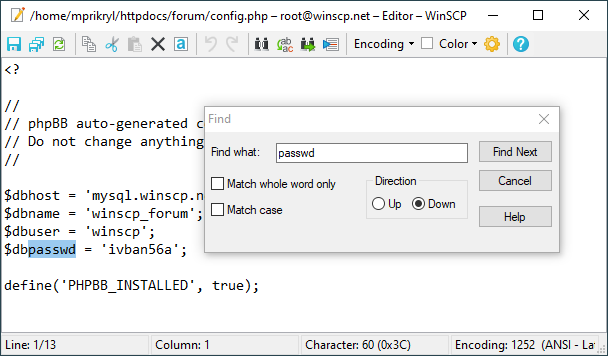
screenshotss (3). Powerful actions stay easy to click, so pair the interface with change control and peer review.